Tutorial – Upscale Profissional com Restauração 4K com Inteligência Artificial no Neuriz

Restaurar, melhorar detalhes e aumentar resolução sem alterar identidade
Este tutorial usa um preset avançado para:
- ✔ Restaurar imagem
- ✔ Aumentar resolução para 4K
- ✔ Melhorar nitidez natural
- ✔ Preservar identidade
- ✔ Manter proporções e composição
Ideal para:
- Fotos antigas
- Retratos
- Imagens comprimidas
- Fotos com ruído
- Imagens levemente desfocadas
🚀 PASSO A PASSO NO NEURIZ
1️⃣ Acesse o Neuriz
- Entre em neuriz.com
- Faça login
- Clique em Image
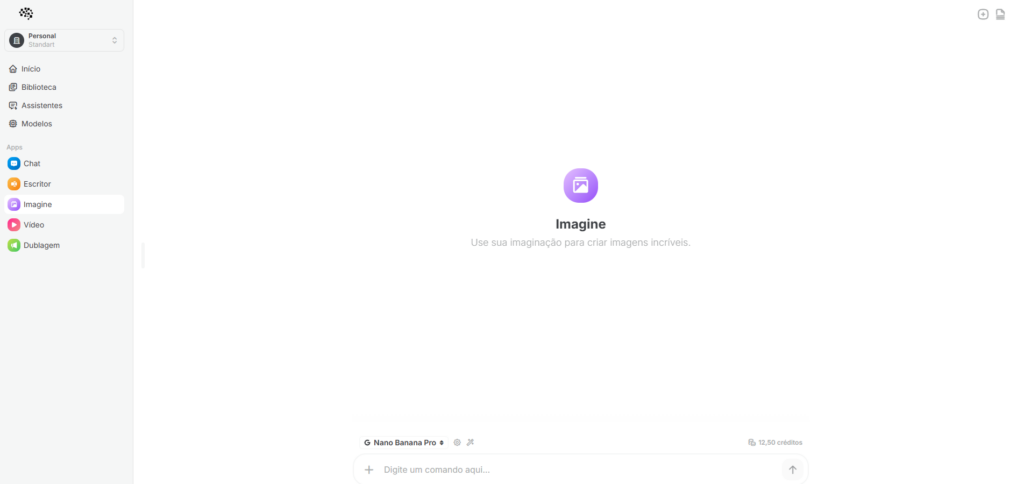
2️⃣ Escolha o Modelo
Selecione:
👉 Nano Banana Pro
3️⃣ Configuração
- Proportion: deixar em branco
- Resolution: selecionar 4K
4️⃣ Envie a imagem
Faça upload da foto que deseja restaurar ou aumentar resolução.
🧠 PROMPT PARA COLAR NO NEURIZ
Cole no campo de prompt:
Enhance the image to true photorealistic realism while fully preserving composition, proportions, identity, and emotion. No beautification, stylization, or facial changes. Add natural imperfections: subtle asymmetry, uneven eyes/brows/lips, realistic skin texture with pores, fine lines, tiny blemishes, mild discoloration, uneven tones, and natural micro-shadows.
No smooth or plastic skin. Improve clarity and depth without over-sharpening. Enhance micro-details: hair strands, fabric fibers, wrinkles, dust, wear, fingerprints, reflections. Use natural real-world lighting with imperfect shadows and soft highlights. Ultra-high-resolution, clean upscale, authentic photographic look.
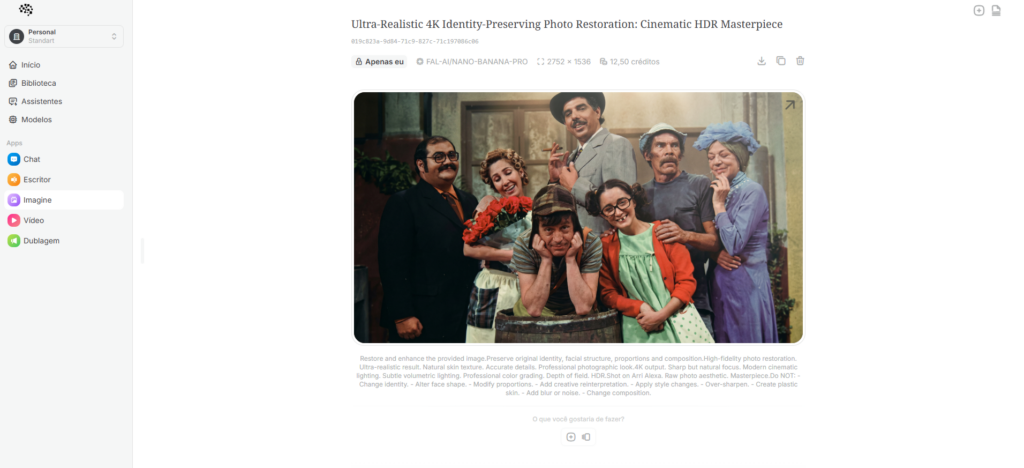
⚙️ CONFIGURAÇÃO TÉCNICA UTILIZADA (Base do Preset)
Este preset utiliza a lógica:
- Task: image_restoration_upscale
- Steps: 30
- CFG Scale: 6.5
- Denoising Strength: 0.45
- Upscaler: 4x_NMKD_Siax_200k
- Target Resolution: 4K
Essas configurações garantem:
✔ Preservação da identidade
✔ Nitidez equilibrada
✔ Redução de ruído
✔ Textura natural
✔ Alta definição
🎯 O QUE ESSE UPSCALE ENTREGA
Você terá:
✅ Imagem restaurada
✅ Nitidez natural (sem exagero)
✅ Textura realista
✅ Iluminação cinematográfica
✅ Aparência profissional
✅ Arquivo final em 4K
🚫 O QUE ELE BLOQUEIA
❌ Mudança de rosto
❌ Alteração de identidade
❌ Estilo artístico
❌ Efeito pintura
❌ Pele artificial
❌ Distorção de proporção
💡 DICA PROFISSIONAL
Se a imagem estiver muito danificada:
- Gere a primeira versão
- Baixe o resultado
- Faça novo upload
- Rode novamente o upscale
Isso aumenta ainda mais o nível de detalhe.
🏁 RESULTADO FINAL
Imagem final com:
- Aparência de foto profissional
- Iluminação cinematográfica
- Textura natural
- 4K real
- Fidelidade total ao original







Publicar comentário